Project Structure
Required Python Modules
First of all, it's important to use at least Python 3.10, because FastMCP doesn't run on older versions. The project actually only requires two important libraries:
pip install FastMCP
pip install IMAPClient
Open Architecture
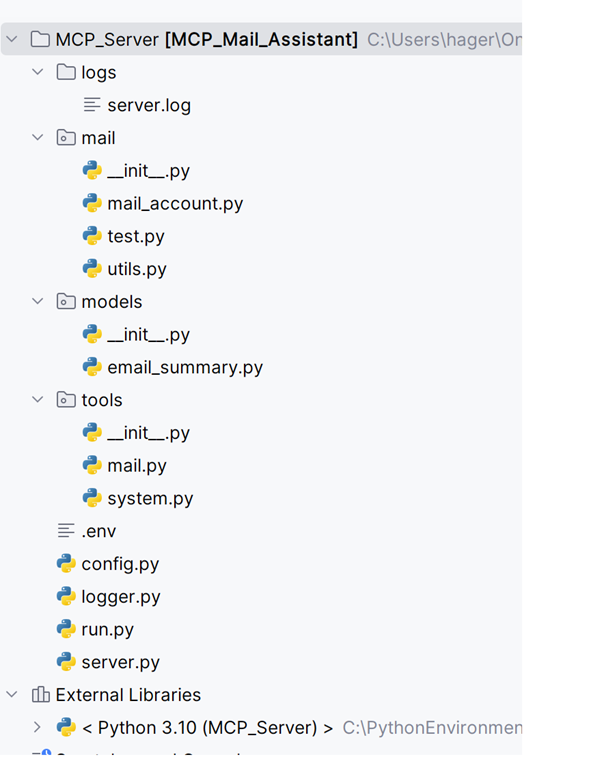
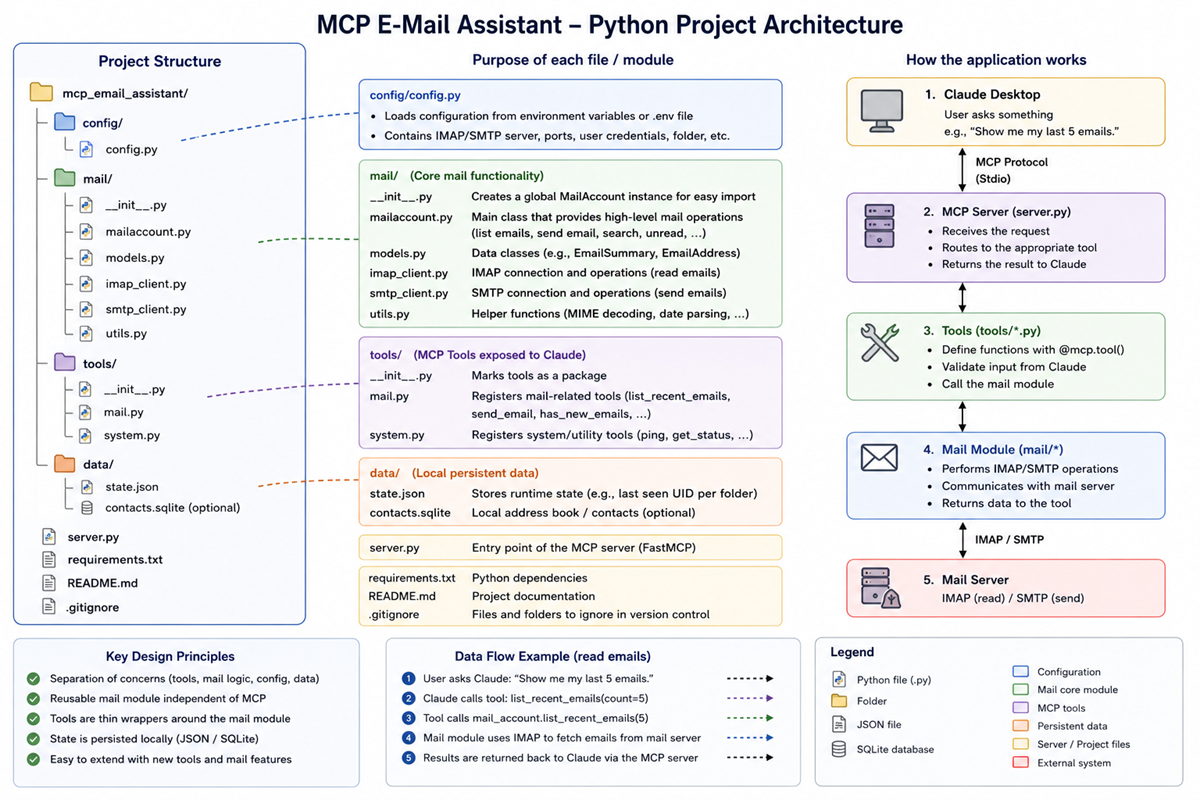
Great emphasis was placed on an open and extensible structure: the server is very minimal; it simply starts the MCP server itself and registers the tools. The tools themselves are located in the “tools” module. The good thing about it is that you can very easily expand the server with additional tools, for example, to add features to the calendar.
Logging was also outsourced, as was reading the mail server configuration.
Why data classes as "models"?
The “models” module contains the data classes that describe the objects; for the tutorial, only the ‘email_summary’ model was implemented. But of course, it would be very easy to extend it to include additional objects such as “email” or a calendar entry. This makes the code easier to read. Instead of
mail[“subject”]

write

mail.subject
I like that much better. Dataclasses offer yet another advantage for our MCP server. We can easily convert them into dictionaries: from
dataclasses import asdict

return asdict(mail)
the following is automatically generated:
{
  "uid": 512,
  "subject": "Meeting",
  "sender": "max@example.com",
  "date": "...",
  "unread": true
}
This is exactly the format that the MCP server can return to Claude.
Overview
Establish The Connection
To connect Claude Desktop to a local Model Context Protocol (MCP) server, you need to add the
server's execution details to the "claude_desktop_config.json" configuration file.
This allows Claude to run the server locally and communicate with it directly.To add a local MCP server,
follow these exact steps:
Locate or Open the Configuration File:In Claude Desktop, click the menu or press Ctrl+,
(Windows/Linux) or Cmd+, (macOS) to open Settings.
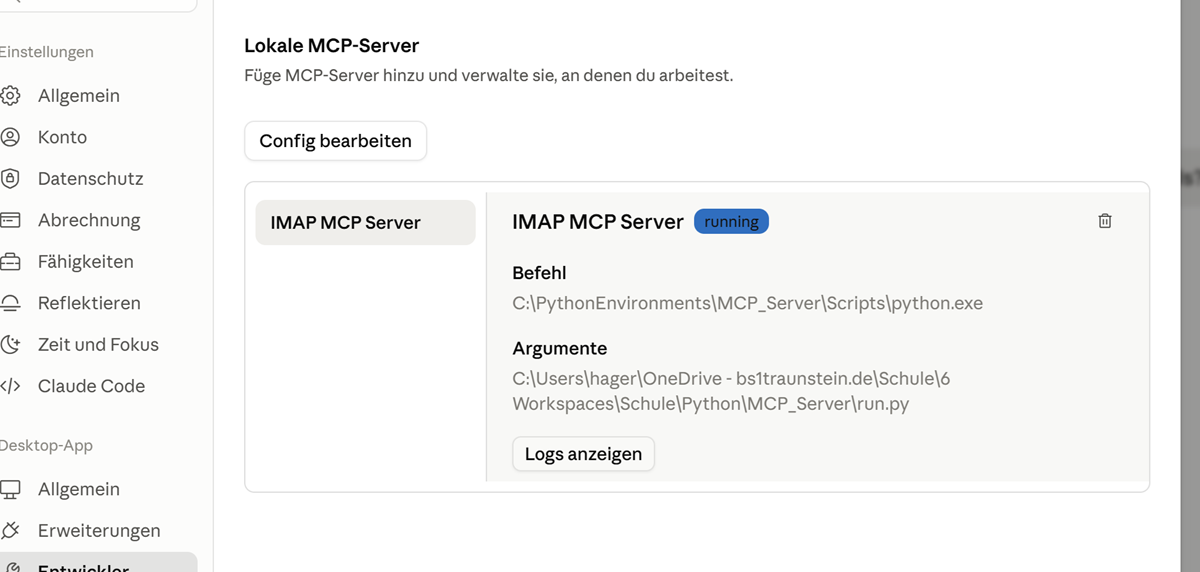
Access the Developer Settings:Navigate to the Developer tab and click Edit Config. This will
open claude_desktop_config.json in your default text editor.
Add Your Server Definition:Insert the server’s execution command under the
"mcpServers" key.
{
  "mcpServers": {
    "IMAP MCP Server": {
      "command": "C:\\PythonEnvironments\\MCP_Server\\Scripts\\python.exe",
      "args": [
        "C:\\Users\\hager\\Schule\\6 Workspaces\\Schule\\Python\\MCP_Server\\run.py"
      ]
    }
  },
  ....
The MCP server should be available after the next restart.
Why Comments Are Key To Success
In the Model Context Protocol (MCP), special tool comments (docstrings or annotations) act as the primary user interface for the AI. They are critical because Large Language Models (LLMs) cannot execute code natively and rely entirely on these descriptions to know what a tool does, when to trigger it, and how to format the input parameters. Because agents process hundreds of tool schemas at once, unclear comments can lead to tool overload, hallucinations, and critical errors.
This example shows a method that returns a list of the most recent emails. The comment is absolutely necessary so that the LLM knows how to use the method! That's also why the comments are in German: I want to be able to communicate with the Mail Assistant in my native language.
     @mcp.tool()
    def list_recent_emails(count: int = 10):
        """
        Gibt die Liste der neuesten E-Mails zurück.
        Args:
            count: Anzahl der zurückzugebenden E-Mails.
        """

        mails = mail_account.list_recent_emails(count)

        return [
            asdict(mail)
            for mail in mails
        ]